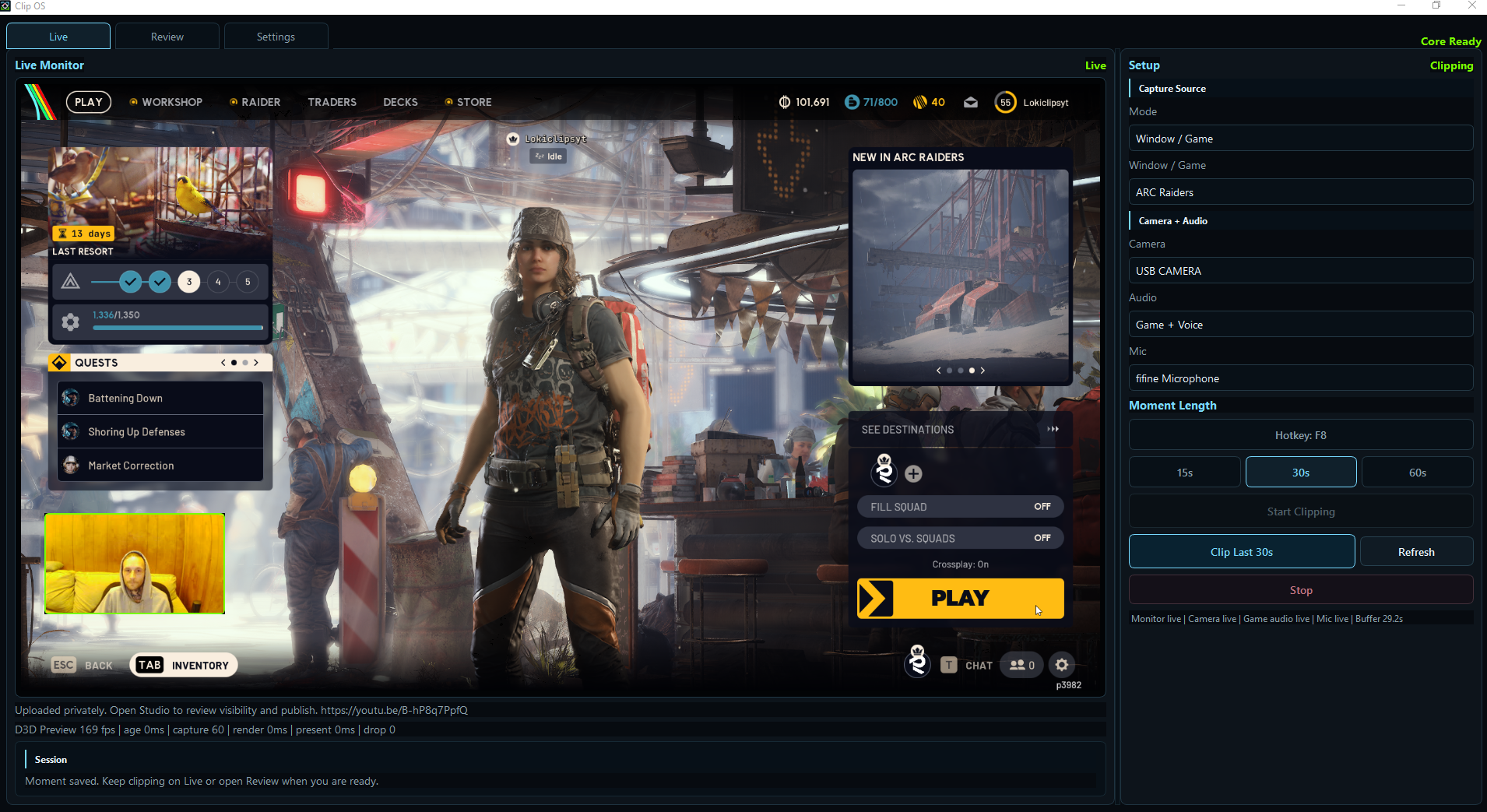
Start clipping
Open Clip OS, pick Monitor or Window/Game, confirm camera and audio health, then start the rolling buffer.
Private beta for Windows gamers and streamers
Clip OS sits between recording and editing: it watches your monitor or game window, captures camera, game audio, and voice, then builds a 9:16 short you can review, edit, export, or upload privately to YouTube when connected.
What it does
OBS records. CapCut edits. Clip OS is built for the middle: hit a hotkey during gameplay and get a finished short draft without hiring a clipper or scrubbing through hours of footage.
Open Clip OS, pick Monitor or Window/Game, confirm camera and audio health, then start the rolling buffer.
When something happens, Clip OS saves the last 15, 30, or 60 seconds with gameplay, camera, game audio, and mic.
Edit title, text, style, layout, trim, and sound mix inside a vertical short preview.
Export a platform-ready MP4 and metadata package. YouTube direct upload is the first proven publish path.
Real beta proof
Current public proof from the private beta: the latest tested 0.1.2 build proof, a full walkthrough, a 30-second demo Short, and real ARC Raiders Shorts made from the Clip OS workflow.
The fresh private beta installer was tested locally. This latest proof shows the current Short Editor flow: trim/transitions, interactive layout/framing, cover/thumbnail export, text presets, and Text Color control.
Watch the current beta flow: setup, Live preview, F8 capture, Review, export, and YouTube.
Watch on YouTube 30-second demoA quick product-proof clip built from a real Spaceport tower jump.
Watch the demo Gameplay proofA public Short exported from the beta workflow and posted to YouTube.
Watch the shortCommunity
$CLIPOS is a community token for people following Clip OS and clip culture. It is separate from the Windows app and is not required for beta access, founder access, product features, or support.
Crypto assets are volatile. This link is for transparency and community discovery, not financial advice.
Private beta
The best beta testers are Windows creators who will actually clip gameplay, try Review, export a Short, and tell us what broke. Accepted founder testers are invited manually while Clip OS is still private.
Trust and safety
Clip OS needs to earn trust before asking streamers to install it. The beta release process is built around transparency, local-first behavior, and clear support.
Capture, review, and export happen on your PC. Clip OS does not upload raw clips unless you choose a publishing action.
Public beta distribution should use a signed Windows installer. Early private builds include checksums and direct support.
YouTube is the first direct upload path. Other platforms export ready MP4 packages until each official publish flow is proven.
Every tester build should have a version number, changelog, log folder, support contact, and a clear uninstall path.
Early beta access
Clip OS is currently free for accepted testers while we validate install, capture, Review, export, YouTube upload, and support on real Windows gaming PCs.
Free for a limited time$29 one-time
Founder Beta is the limited-time supporter option. It includes private beta access now and lifetime Clip OS access as the product moves toward official release. No subscription.
Get founder betaFulfillment is manual by email while the installer stays private. Purchase questions go to support@clipos.app.
Public release opens after Clip OS reaches the right stability, installer, documentation, and support goals across enough real machines.
Follow the build for official release timing and launch updates.
Built for the clip moment
Drop your email and a quick note. We will invite early beta testers manually while Clip OS is still private.